The global live streaming ecosystem is experiencing an unprecedented boom as digital audiences fragment across an ever-growing array of social channels and video networks. From seasoned content creators, gaming broadcasters, and online educators to corporate brands and marketing professionals, reaching a broad audience in 2026 requires more than broadcasting to a single isolated network. However, attempting to manage independent broadcasting setups across multiple channels simultaneously consumes tremendous bandwidth, hardware computing power, and valuable mental focus. This is precisely where Restream steps in as an indispensable industry-leading cloud platform, delivering a complete multistreaming solution in 2026. Instead of forcing you to choose between YouTube, Twitch, Facebook Live, LinkedIn, or Kick, Restream enables you to broadcast seamlessly to all your favorite destinations simultaneously from one centralized dashboard. Let us take an in-depth look at what Restream offers, explore its core feature set, and discover how this powerful tool can elevate your digital broadcasts to professional standards.
What is Restream?
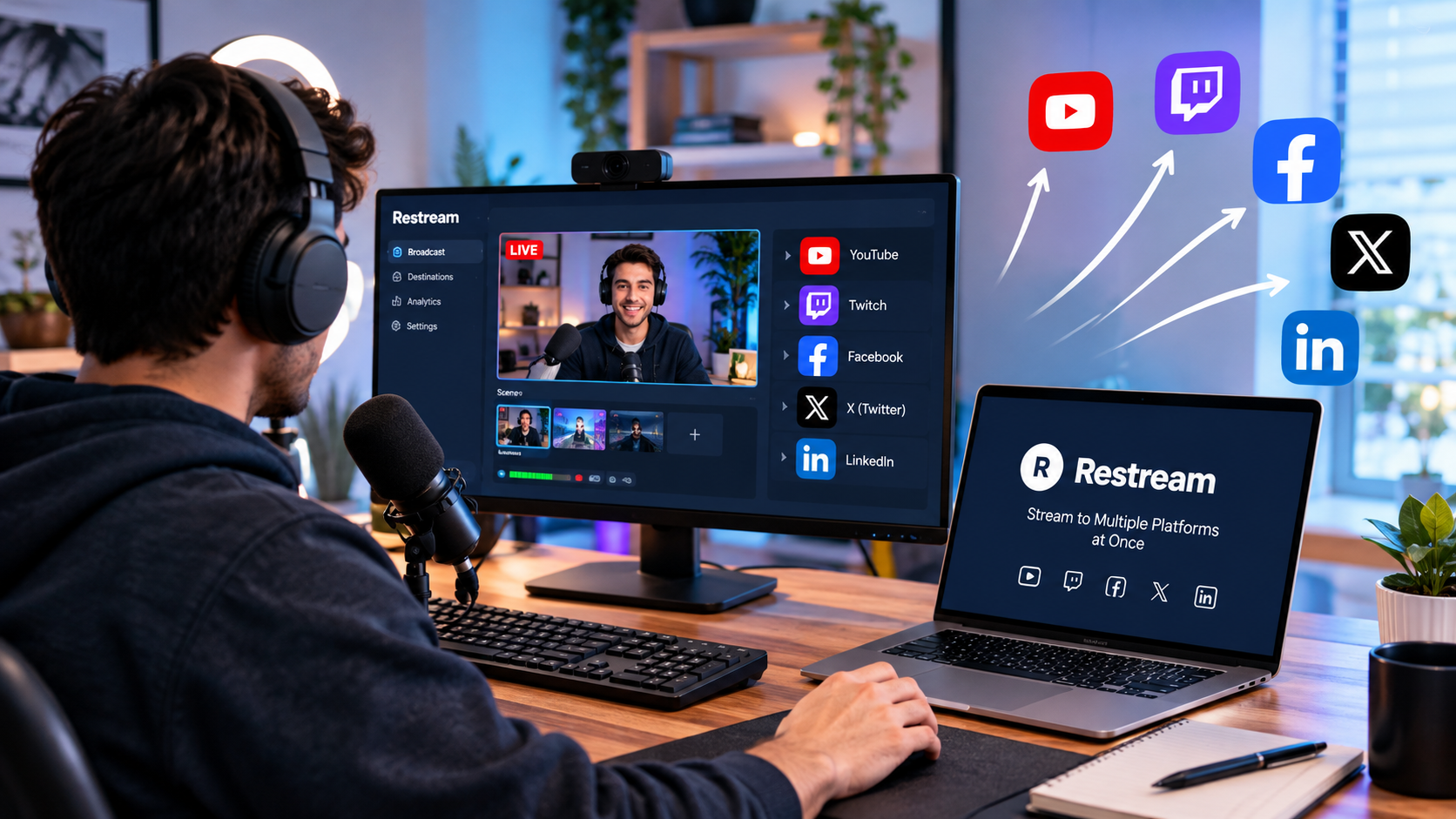
Restream is a pioneering cloud-based multistreaming service engineered to dramatically simplify how individuals and organizations distribute live video content across the internet. At its core, Restream functions as a high-performance digital relay hub. Rather than sending individual video streams from your home computer or studio encoder to each destination—which would quickly overwhelm your internet connection—you transmit a single high-definition video feed directly to Restream’s optimized cloud servers. The platform then instantaneously duplicates and distributes that video stream to dozens of major social and streaming destinations worldwide. This intelligent cloud architecture eliminates local hardware strain, saves vital upstream bandwidth, and allows you to build massive multi-platform followings simultaneously without needing complicated technical configurations.
Exclusive Features to Elevate Your Streams
Restream distinguishes itself through a robust collection of purpose-built broadcasting tools designed to optimize production quality, streamline community interaction, and maximize audience growth. Here are the core features powering the platform in 2026:
Effortless Multistreaming
The primary foundation of Restream is its native ability to transmit live video to over thirty popular destinations simultaneously, including YouTube, Twitch, Facebook Live, X, LinkedIn Live, and TikTok. Connecting your accounts requires just a few simple authentication clicks, allowing you to instantly broadcast your live message wherever your community gathers without manual stream key headaches.
Customizable RTMP Support
For advanced broadcasters and enterprises with niche requirements, Restream provides custom RTMP (Real-Time Messaging Protocol) configuration capabilities. This empowers you to push streams to private corporate servers, specialized web portals, or emerging video platforms not natively listed in the standard integration directory, giving you total freedom over your stream delivery infrastructure.
Stream Recording and Repurposing
Every minute of live video represents valuable digital content that can be leveraged long after the broadcast concludes. Restream automatically captures high-resolution recordings directly within the cloud, allowing you to download pristine video files, extract short video clips for vertical social platforms like Instagram Reels and YouTube Shorts, or convert audio into downloadable podcast episodes effortlessly.
Advanced Scheduling and Automation
Live broadcasting no longer requires sitting physically in front of your studio webcam at scheduled hours. Restream enables users to upload pre-recorded video files and schedule them to broadcast live at predetermined times across all connected platforms. This automated workflow allows you to maintain consistent broadcasting schedules across multiple time zones while you focus on interacting with viewers in the chat.
Live Chat Aggregation
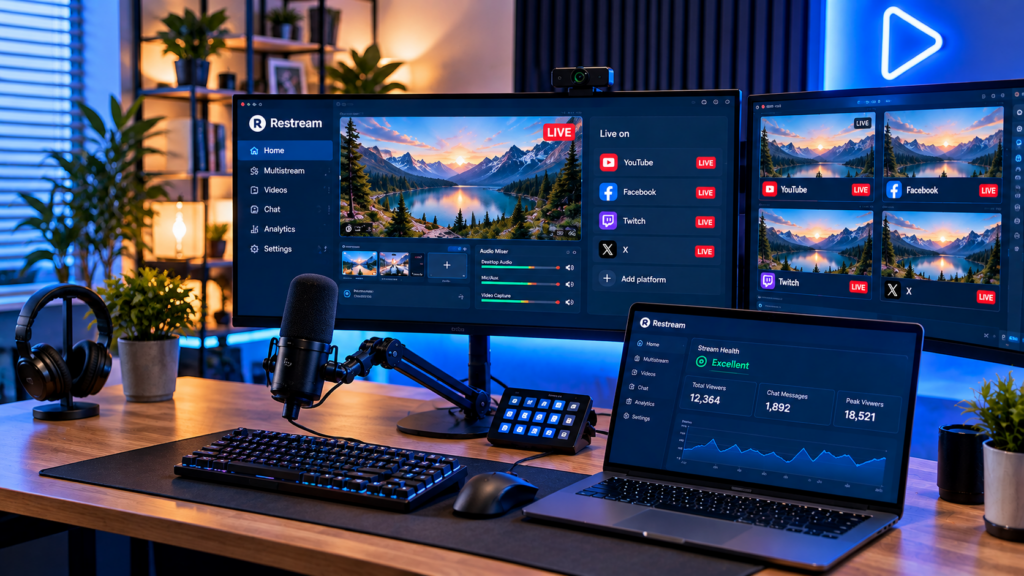
Interacting with your live audience becomes chaotic when comments are scattered across separate browser tabs. Restream solves this through its unified Chat tool, pulling incoming messages from YouTube, Twitch, Facebook, and other destinations into a single organized feed. You can respond directly from the console, filter spam, and display viewer comments on screen to foster community engagement.
Detailed Analytics and Reporting
Evaluating channel growth requires accurate, cross-platform performance data. Restream provides deep analytics dashboards highlighting aggregate viewer counts, peak concurrent viewership, chat activity trends, and regional audience demographics. These quantitative insights allow you to pinpoint which platforms deliver the highest engagement and refine your content strategy accordingly.
Streamlined Services for a Smooth Workflow
Beyond multistreaming distribution, Restream includes specialized built-in services designed to streamline everyday production workflows:
Cloud Recording: Store and manage high-definition video archives securely within dedicated cloud storage, enabling rapid downloads and content redundancy without cluttering local hard drives.
Custom Branding: Customize your browser-based Restream Studio sessions with bespoke logo watermarks, professional graphics overlays, scrolling ticker banners, and custom countdown videos to reinforce your visual brand identity.
Premium Integrations: Connect effortlessly with popular third-party broadcasting software including OBS Studio, Streamlabs, vMix, and Ecamm Live, ensuring your existing studio equipment works in perfect harmony with cloud distribution.
Priority Support: Access dedicated technical assistance from Restream’s experienced live streaming specialists to troubleshoot technical issues and maintain flawless broadcast reliability around the clock.
Flexible Plans to Suit Your Needs
Restream offers tailored subscription tiers designed to accommodate casual hobbyists, growing independent creators, and demanding enterprise organizations:
Free Plan: A welcoming starting point allowing beginners to multistream to two basic social channels simultaneously with core Restream Studio access.
Standard Plan: Ideal for rising content creators, unlocking multistreaming to up to five channels, cloud video recording, custom graphics branding, and scheduled broadcast support.
Professional Plan: Tailored for established influencers and digital agencies, enabling simultaneous broadcasting to up to eight destinations, full high-definition video output, extended cloud recording storage, and advanced data analytics.
Enterprise Plan: Designed for corporate brands, event producers, and high-volume media companies requiring custom destination limits, dedicated technical account management, single sign-on security, and service-level agreements.
Grow Beyond Limits with Restream
In the highly competitive digital media environment of 2026, audience discovery is the single most critical factor for long-term creator success. Locking your content within one exclusive network restricts your potential growth and exposes your brand to algorithmic volatility. By leveraging Restream’s reliable cloud infrastructure, intuitive studio interface, and intelligent multi-channel distribution, you expand your digital footprint effortlessly. Broadcasters can connect with diverse demographics simultaneously, maximize sponsorship visibility, and cultivate vibrant communities across multiple platforms with minimal friction.
Ready to Stream Like a Pro?
Taking your streaming setup to the next level has never been more straightforward or accessible. Whether you produce casual gaming streams, weekly educational webinars, live musical performances, or corporate product launches, multistreaming empowers you to achieve maximum reach with minimal effort. Create a free Restream account today to experience the future of live video broadcasting, expand your global audience reach, and take complete control of your creative journey in 2026.
Frequently Asked Questions (FAQs)
1. Does multistreaming through Restream require faster home internet speed?
No. Because your computer only transmits a single video feed directly to Restream’s cloud servers—which then distribute the stream to your connected channels—your local internet bandwidth requirements remain exactly the same as streaming to a single platform.
2. Can I use external broadcasting software like OBS Studio with Restream?
Yes. Restream connects seamlessly with OBS Studio, Streamlabs, and other popular software encoders. You simply select Restream as your streaming service inside OBS settings or input your dedicated Restream stream key.
3. How does Restream unified chat handle comments from different platforms?
The Restream Chat tool aggregates incoming messages from all active destinations into one synchronized window. You can view user comments, see which platform they originated from, and display them directly on your broadcast stream.
4. Is it possible to stream pre-recorded video files as if they were live?
Yes. With Restream’s video scheduling feature, you can upload pre-recorded video files to the cloud and schedule them to go live across your channels at any chosen date and time without needing your computer running.
5. Does multistreaming violate Twitch or YouTube partnership rules in 2026?
Most major streaming platforms, including Twitch, now permit simultaneous broadcasting to other services. However, always review the latest platform terms of service for your specific creator partner tier to ensure full compliance.